How to Add/Update Family Members in TotalCare PRioritySM Membership
Adding a Family Member:
Using Global Rescue Member Portal (Web/Desktop):
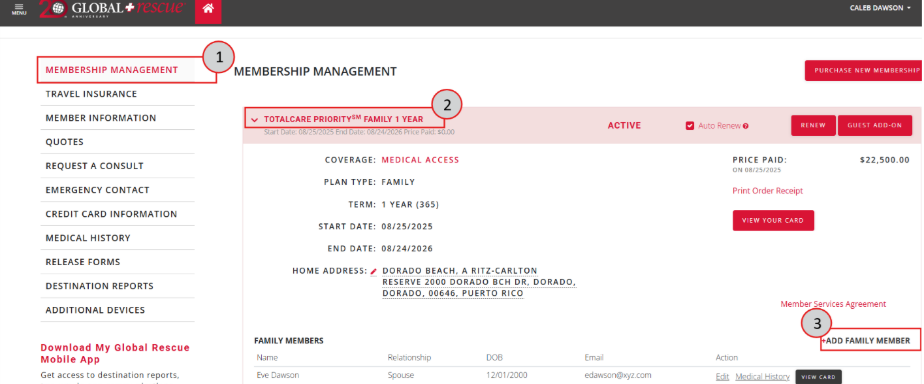
After logging in to the member portal, go to “Membership Management”(1).
Click on the membership to expand it (2).
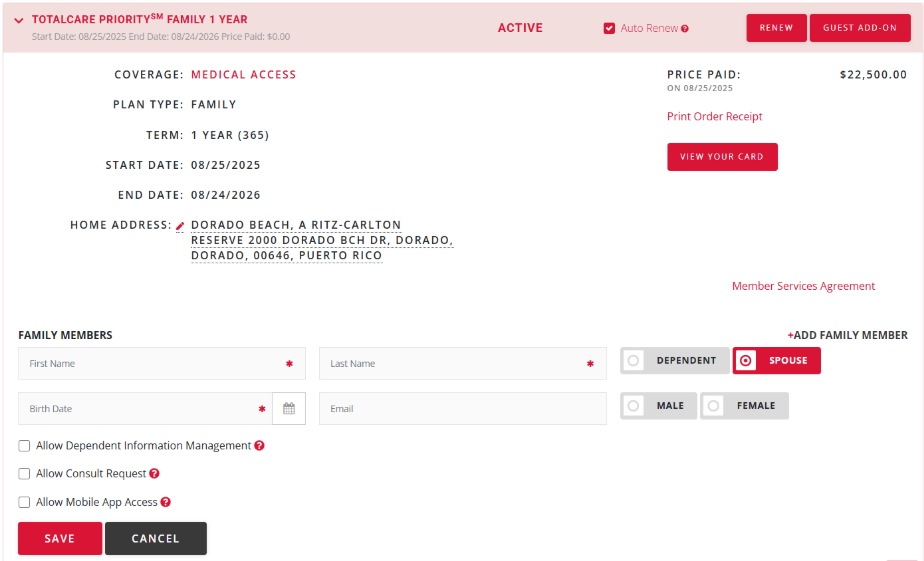
Click on “Add Family Member” (3).
Add Member Details & Save.
Using Global Rescue Mobile App:
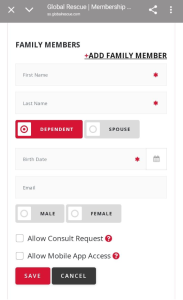
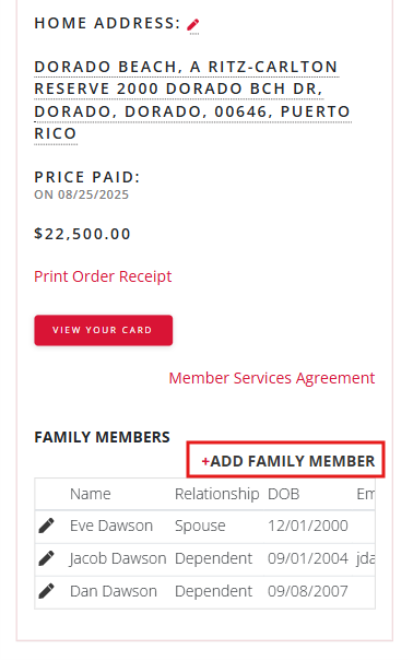
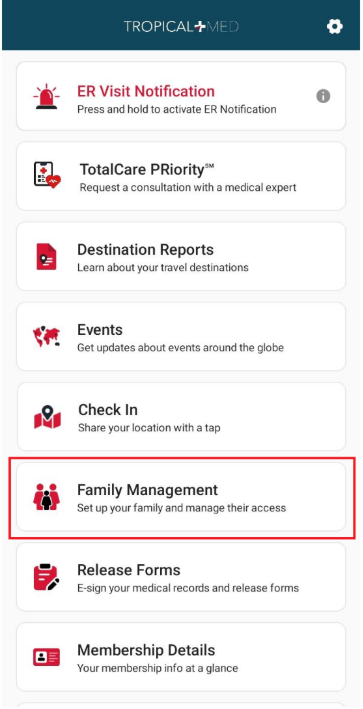
Tap on “Family Management” on home screen. Family management will open in browser.
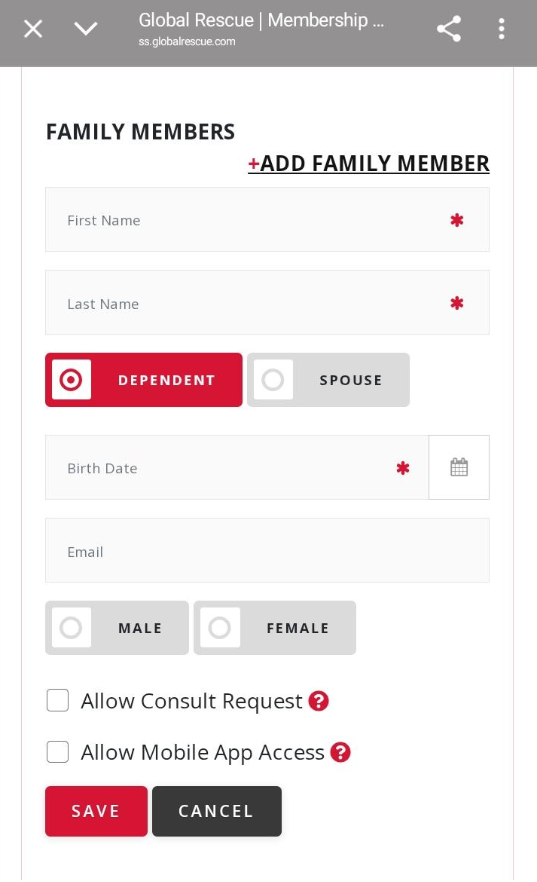
Tap on “Add Family Member” and add details to save.
Edit/Update Family Member:
Using Global Rescue Member Portal (Web/Desktop):
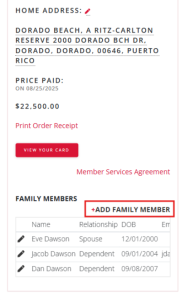
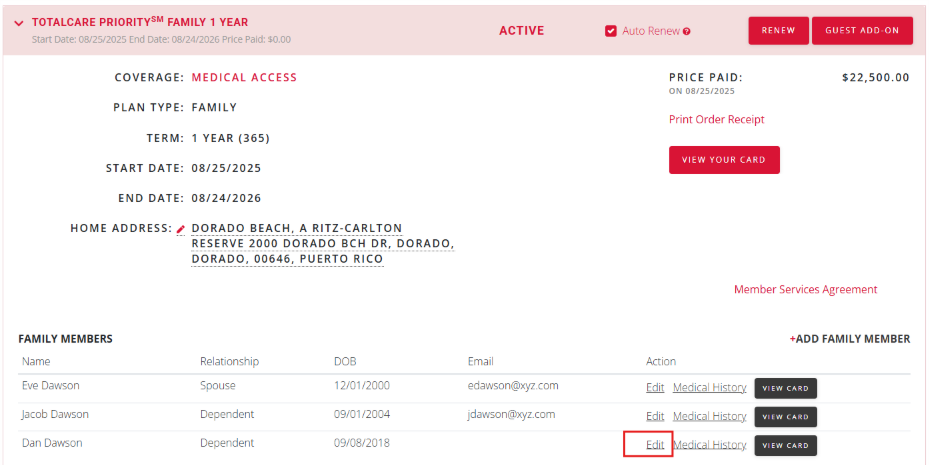
If the family member is already added, and you want to edit information e.g. add email, click the Edit button against family member.
Update the details and Save.
Using Global Rescue Mobile App:
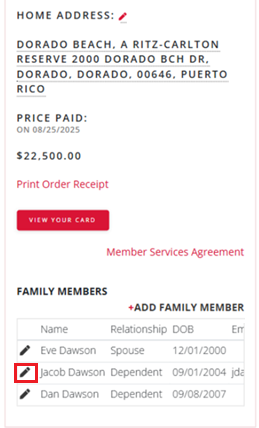
To edit an existing Family Member, tap the edit icon against the member’s name under the “Family Members” section.
Update the details and Save.
Download the complete Risk Assessment
join our mailing list
GET ACCESS TO GRID
DOWNLOAD THE REPORT
DOWNLOAD THE REPORT
VIDEO
Loading...
FREE DESTINATION REPORT
have you signed up for our global rescue newsletter?
LEGAL NOTICE
Mobile Apps:
Global Rescue Mobile Apps are designed for operation on the current versions of Android and iOS operating systems. Availability of services is subject to your equipment compatibility, connectivity and signal in your location. There is no guarantee that all features and functionality will be available in your location. Use and availability of the Mobile Apps are subject to your service provider’s plan and may be subject to additional fees from your provider. The download and use of a Global Rescue Mobile App is subject to the terms of your Member Services Agreement and the applicable End User License Agreement (EULA).
For individuals 85+, medical transport is not included in membership. Members 85+ may purchase medical transport on a fee for service basis.
Mobile Apps:
Global Rescue Mobile Apps are designed for operation on the current versions of Android and iOS operating systems. Availability of services is subject to your equipment compatibility, connectivity and signal in your location. There is no guarantee that all features and functionality will be available in your location. Use and availability of the Mobile Apps are subject to your service provider’s plan and may be subject to additional fees from your provider. The download and use of a Global Rescue Mobile App is subject to the terms of your Member Services Agreement and the applicable End User License Agreement (EULA).