Instructions for Setting User Permissions in the Partner Portal
Keep your Partner Portal organized by giving the right people access to the tools they need.
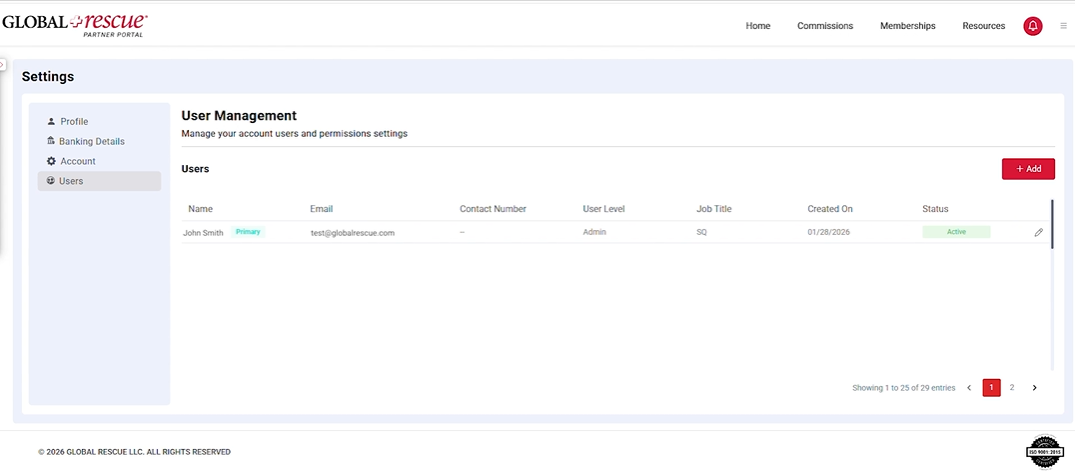
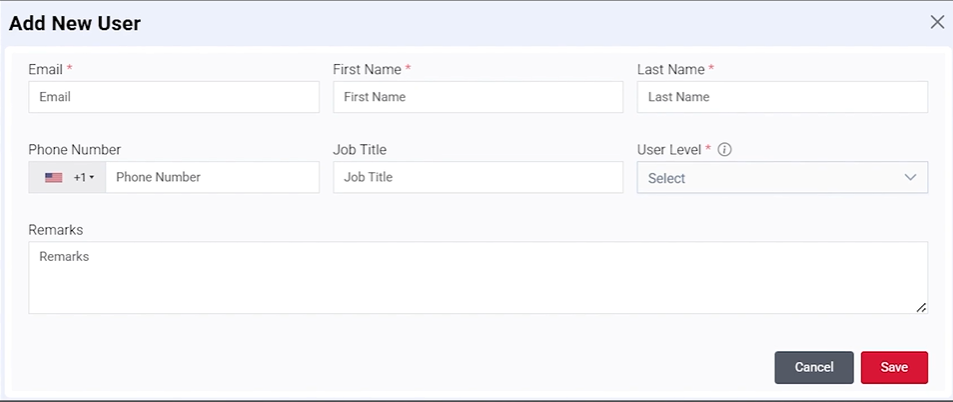
The User Management section allows administrators to add team members, assign permissions
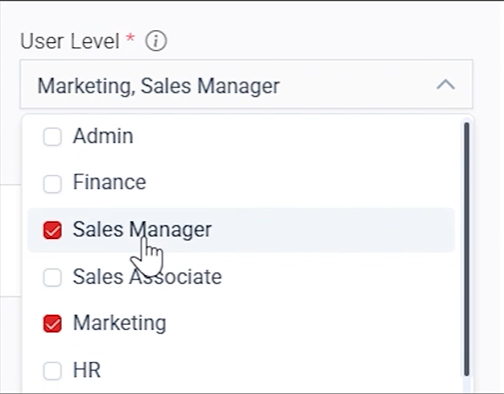
based on their responsibilities and update access as roles change. Whether you’re managing
sales, marketing, finance or administrative users, you can easily control who has access to each
area of the Partner Portal.
We recommend adding additional users. This helps ensure the right people have access to the
Partner Portal and allows us to share relevant resources and communications with the
appropriate points of contact.
User Management Benefits
- Manage access with confidence – Assign permission levels based on each user’s responsibilities
to help keep account information secure and organized. - Support your entire team – Provide Marketing, Sales, Finance and HR access to the tools most
relevant to their role. - Keep information secure – Protect sensitive account information by limiting access to
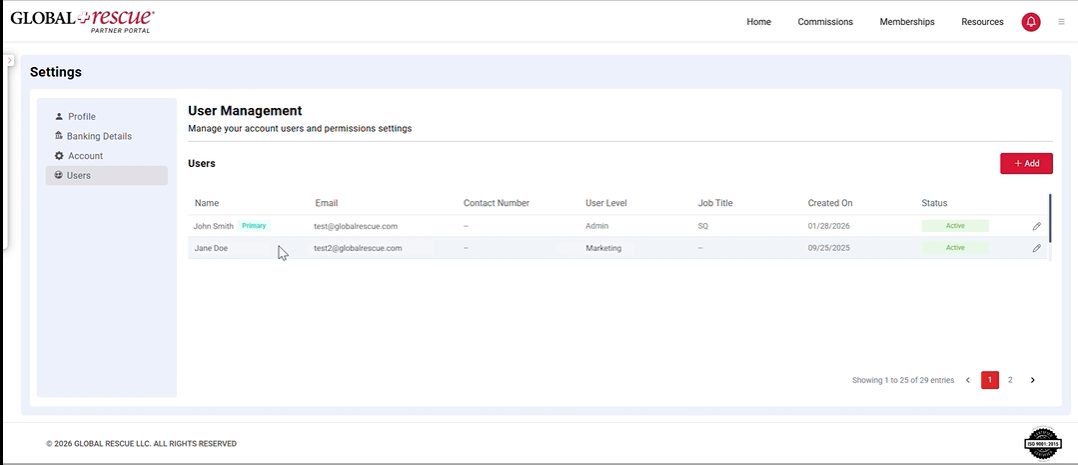
authorized users. - Manage users anytime – As your organization grows or responsibilities change, you can easily
add users, edit permissions or remove access.